Multi-Track Timeline
Drag and drop clips, photos, and audio across multiple layers with frame-precise editing.
Professional video editing made easy. Multi-track timeline, 4K export, chroma key, text animations, and more — on Windows.
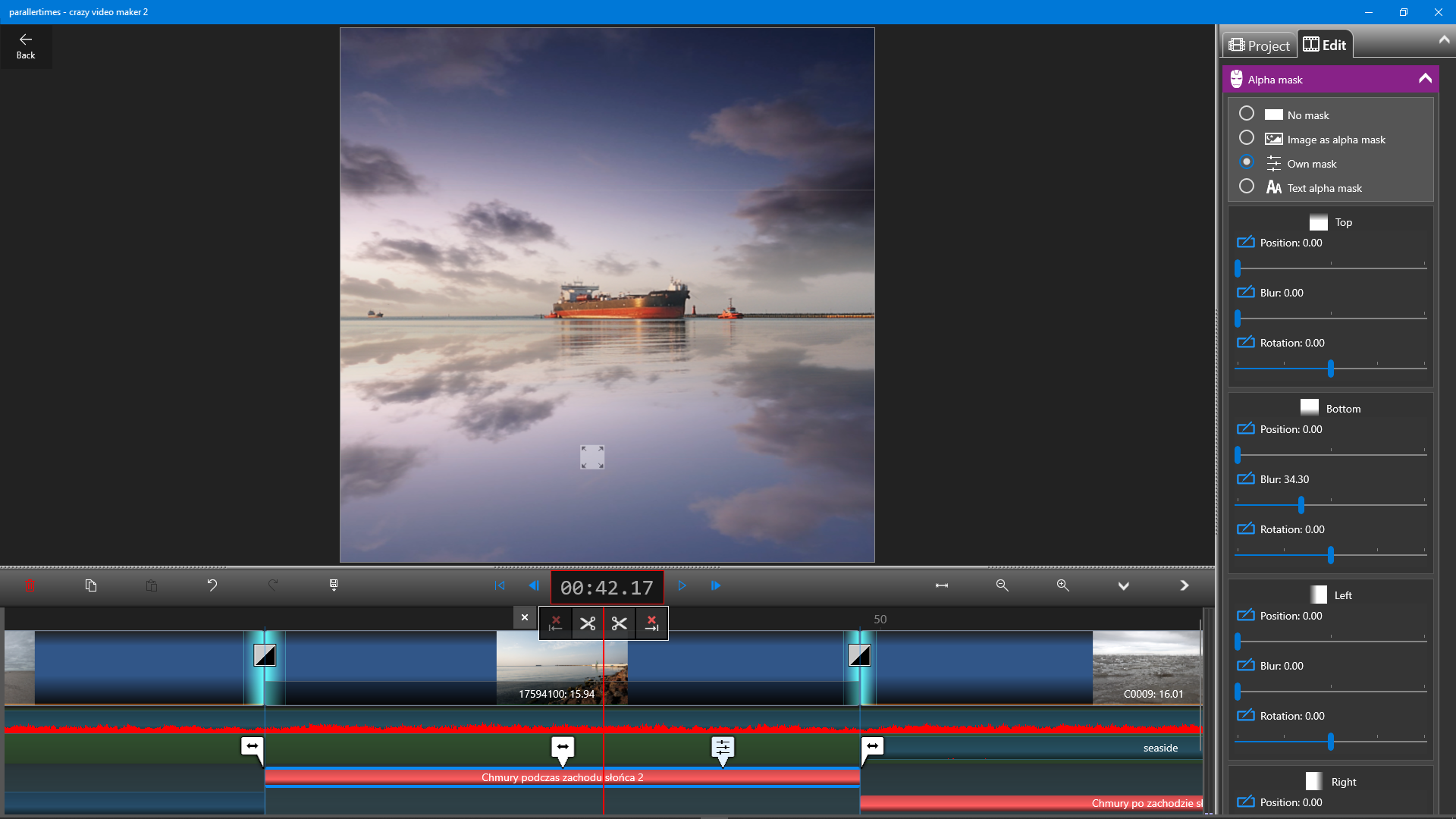
No experience needed. Just drag, drop, and create.
Drag and drop clips, photos, and audio across multiple layers with frame-precise editing.
Beautiful text overlays with dozens of fonts, colors, and motion effects to bring your titles to life.
Draw directly on your video with brushes, shapes, and speech bubbles using pen, touch, or mouse.
Remove green screen backgrounds and composite scenes like a pro — built right into the editor.
Capture your screen, webcam, or microphone and drop it straight into your project timeline.
Export in Full HD or 4K quality and upload your finished videos directly to YouTube.
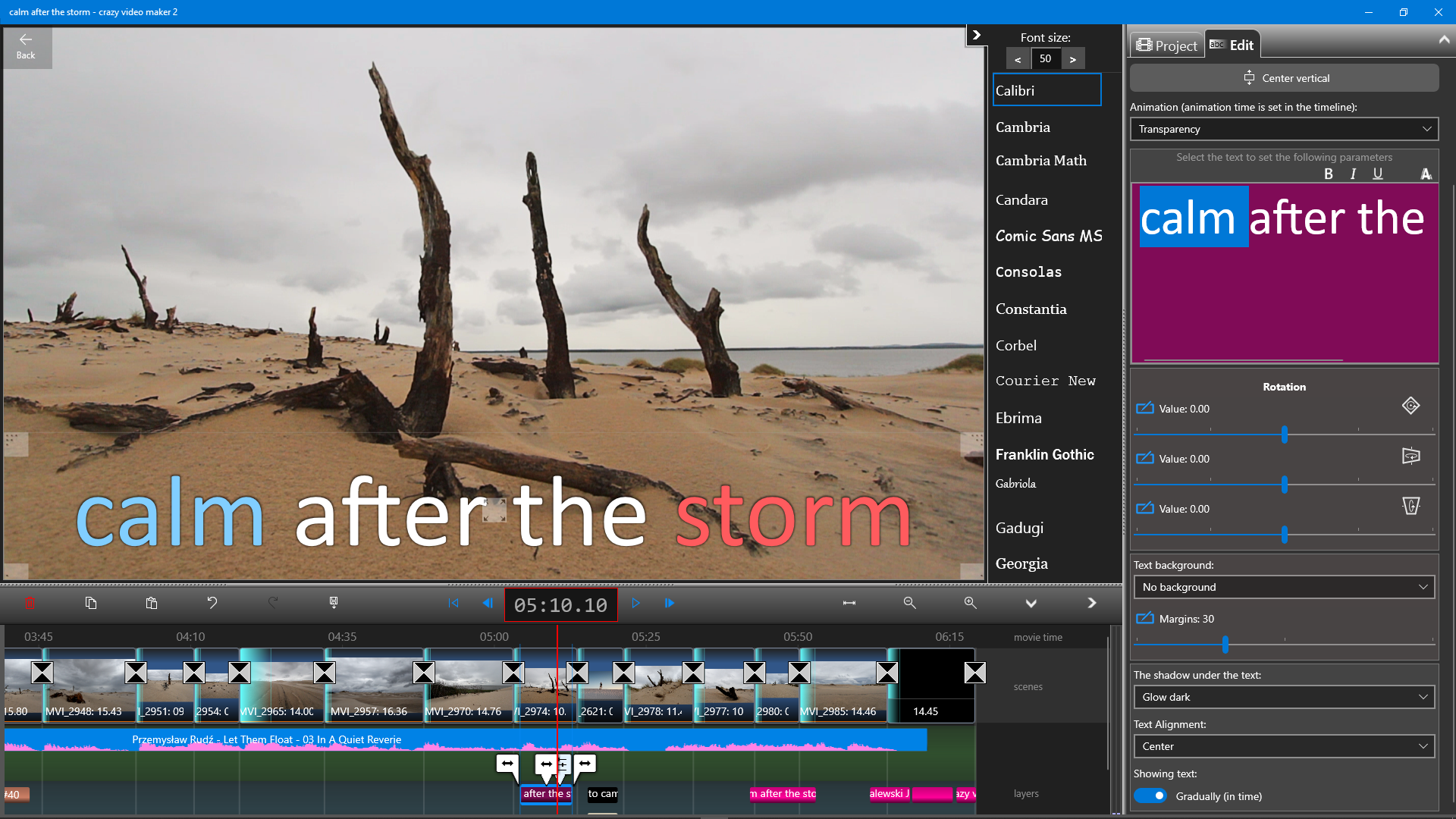
Choose from a wide variety of fonts, colors, and animation styles. Place text anywhere on the canvas and adjust shadows, backgrounds, and rotation — with instant preview on every change.
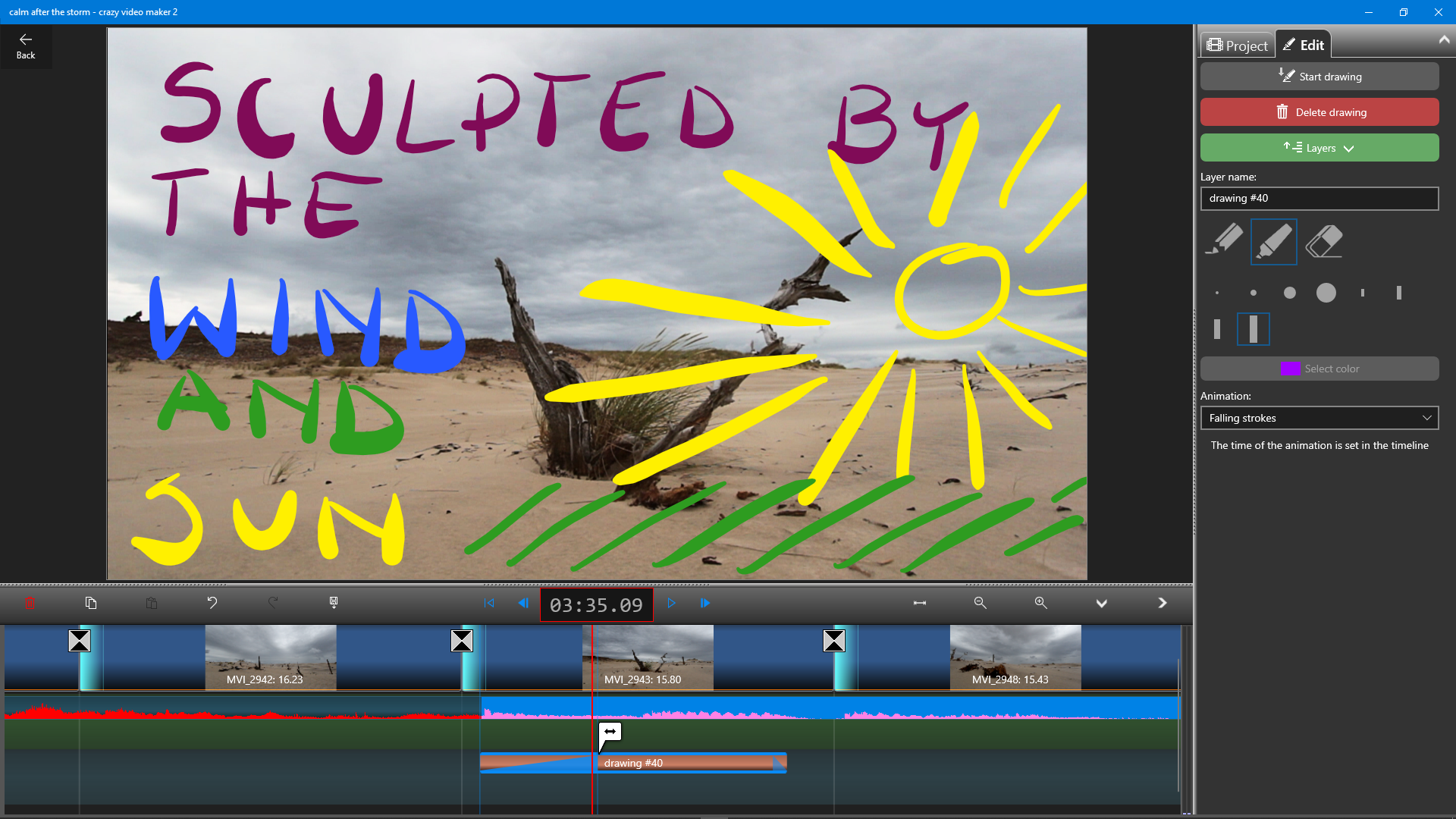
Unleash your creativity with freehand drawing tools. Sketch, annotate, and illustrate right on top of your footage with pen, touch, or mouse.
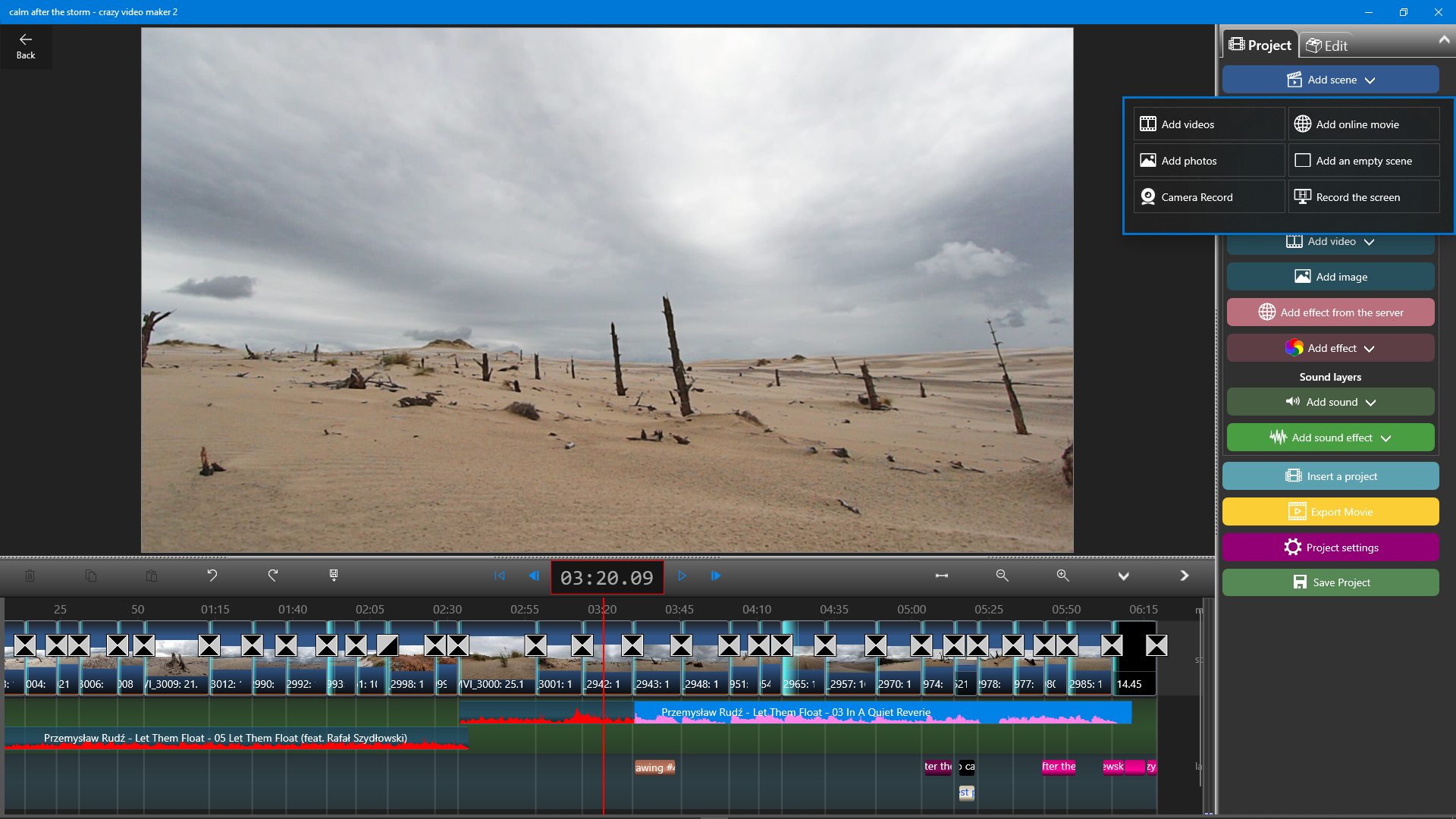
Add videos, photos, screen recordings, effects, audio, and more from a single intuitive panel. Your entire creative toolkit, always within reach.
Alpha masking, color channels, a built-in effects library, and more.
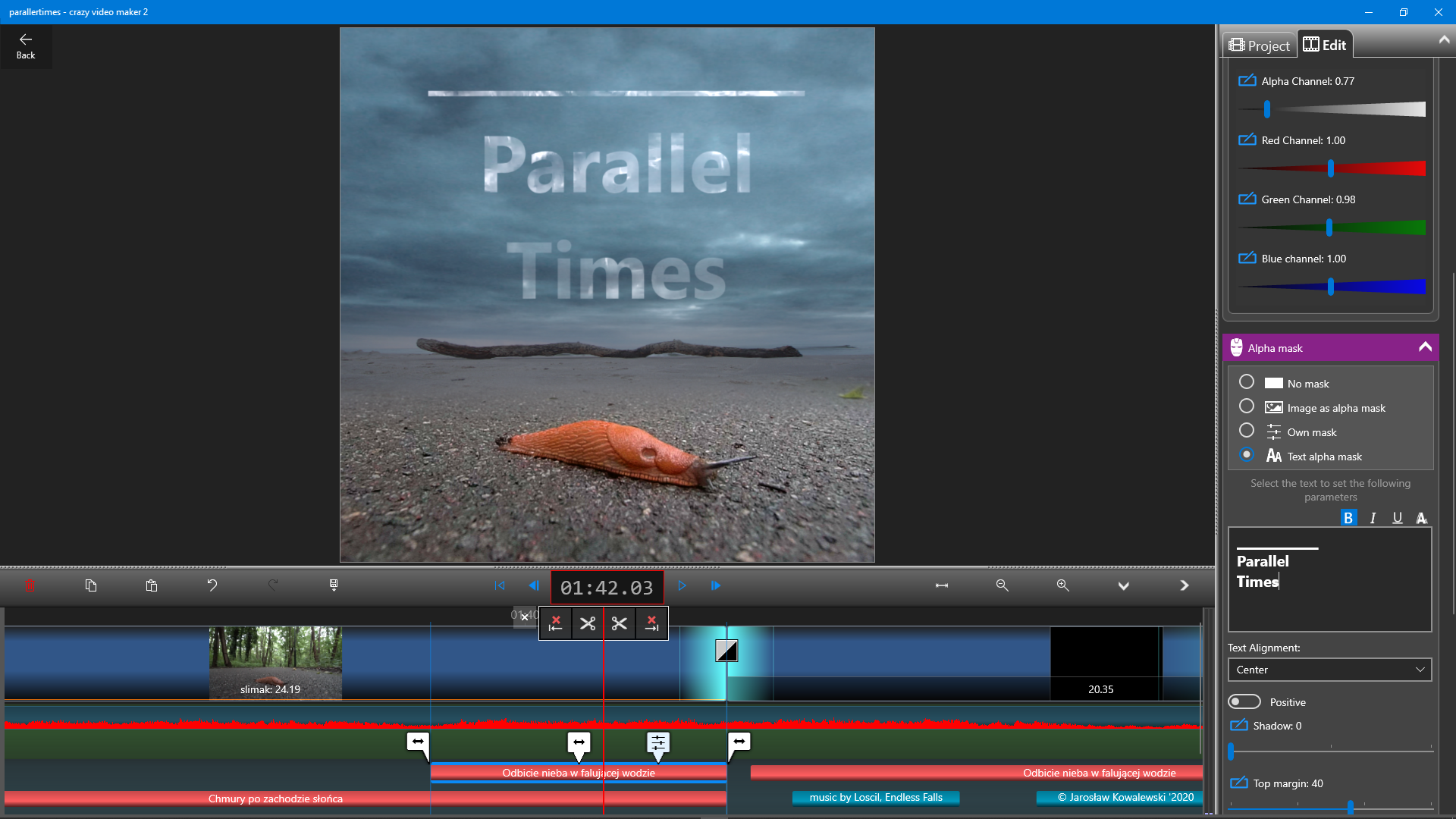
Control transparency, blend layers, and manipulate individual color channels for cinematic compositing.
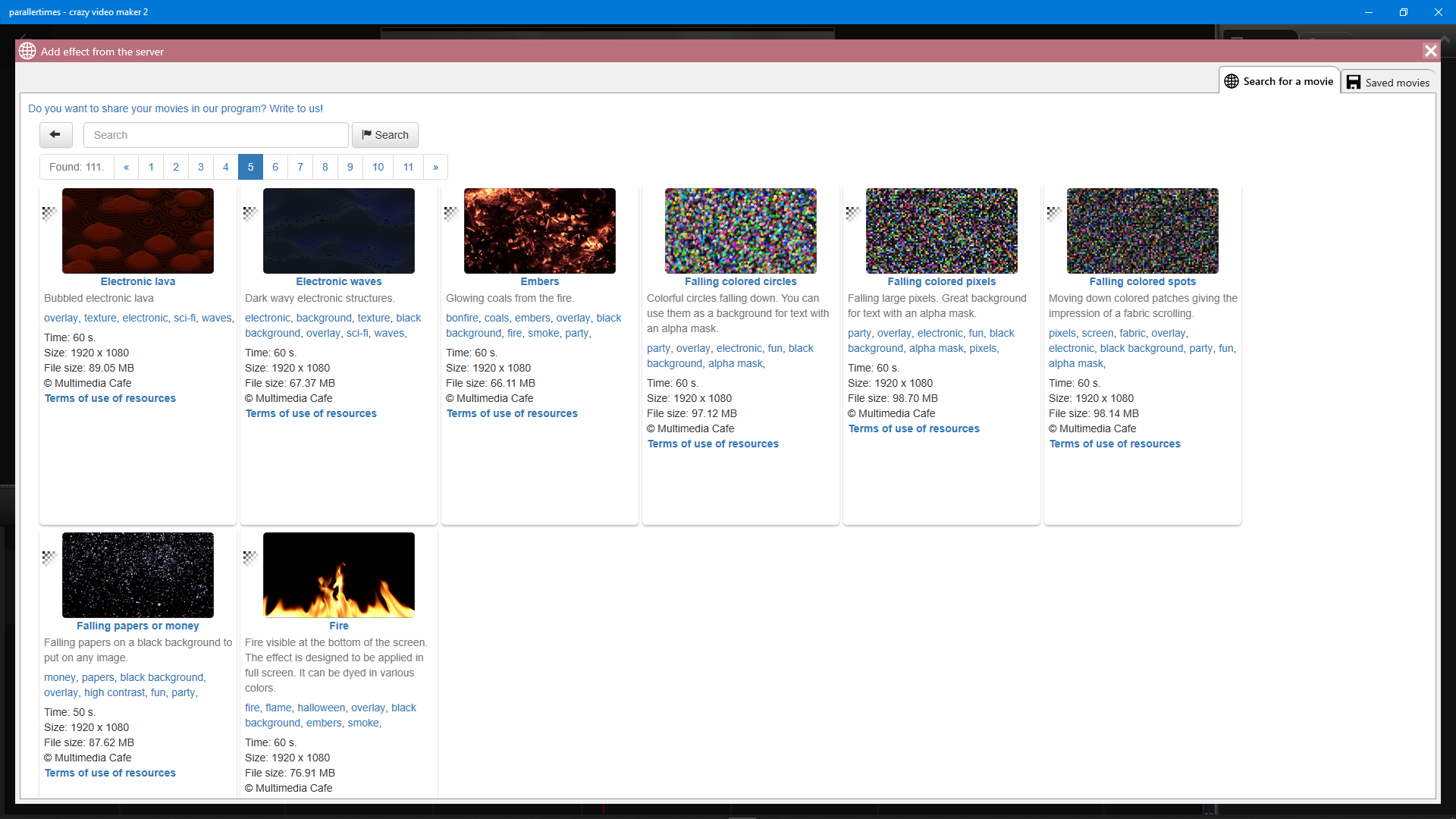
Browse and apply stunning visual effects — particles, light leaks, transitions — with a single click.
Download Crazy Video Maker from the Microsoft Store
and join millions of creators worldwide.